

Copy-and-paste prompt templates for replying to positive, negative, and unfair Google reviews with AI, plus…
How to Make a Month of Social Media Posts with AI in One Hour
Most small businesses post in bursts: four times in one enthusiastic week, then nothing for a month. Consistency is what the platforms reward, and consistency is what owners do not have time for. The fix is to stop posting daily and start batching monthly. With AI handling the first drafts, a month of posts takes about an hour.
You will need a chatbot (ChatGPT, Claude, or Gemini), a design tool such as Canva, and a scheduler. Meta Business Suite is free for Facebook and Instagram; Buffer and Later are common alternatives.
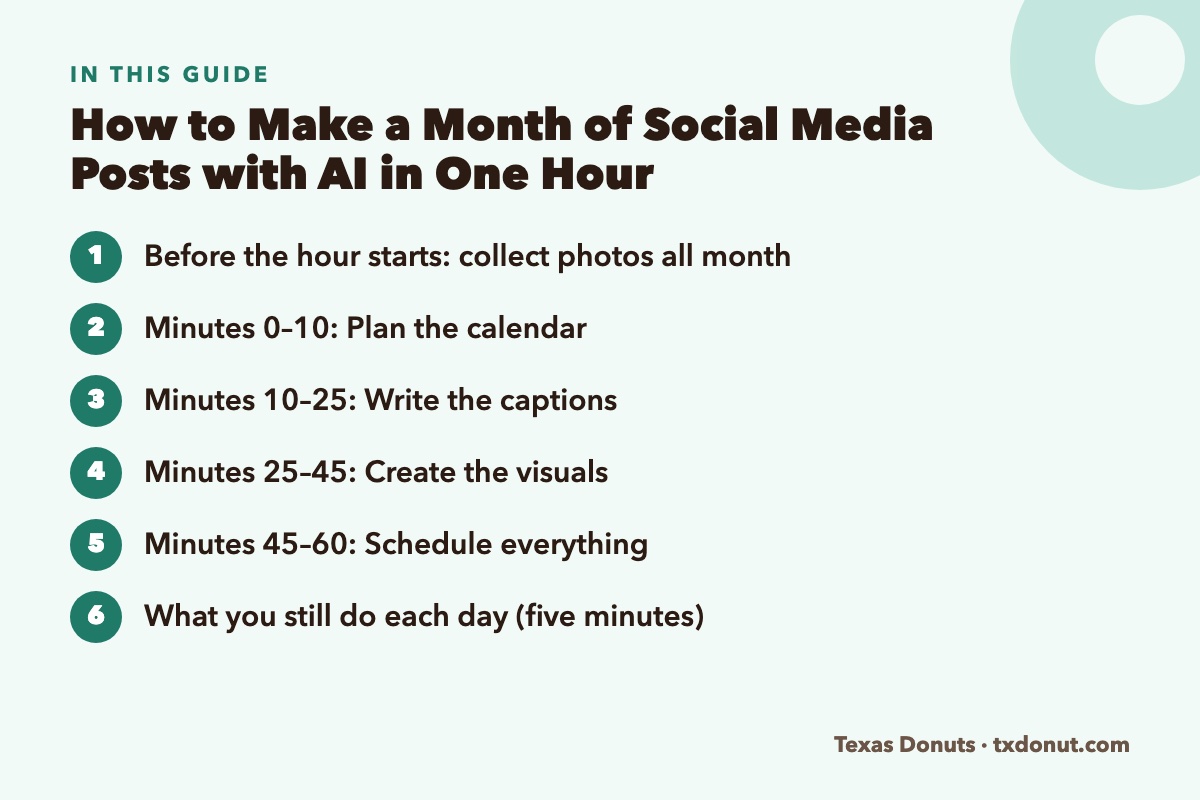
Before the hour starts: collect photos all month
The one thing AI cannot supply is real pictures of your business. Make it a habit to take two or three photos a day on your phone: a full tray, a regular at the counter (with permission), a new item, the crew at 5 a.m. Drop them into one album. When batching day arrives, the raw material is waiting.
Minutes 0–10: Plan the calendar
Decide on three posts a week. That is twelve posts, which is enough to stay visible and few enough to keep the quality up. Then ask the chatbot for a plan:
I own [business] in [city]. Plan 12 social media posts for [month], three per week, for Instagram and Facebook. Use these four themes in rotation: (1) product spotlight, (2) behind the scenes, (3) customers and community, (4) offer or announcement. Work in these dates and events: [holidays, local events, promotions]. For each post give me the date, the theme, the idea in one sentence, and what photo I need.
The four themes keep the feed from becoming a stream of advertisements. A workable ratio is three posts that give people something interesting for every one that asks them to buy.
Read the plan, replace anything that does not fit, and match each idea to a photo from your album.
Minutes 10–25: Write the captions
Write the caption for each of the 12 posts. Rules: first line must make someone stop scrolling; 2 to 4 short sentences; sound like a friendly local owner, not a brand; end with a simple question or call to action on about half of them; add 3 to 5 relevant hashtags including local ones for [city/neighborhood]. Do not invent facts about my business. Here is a caption I wrote that sounds like me: [paste one].
Pasting an example of your own writing is the step that keeps captions from sounding generic. Then edit:
- Cut any sentence you would never say aloud.
- Add one real detail the AI could not know: a name, a time, a number.
- Check every date, price, and hour.
Minutes 25–45: Create the visuals
Open your design tool and work through the posts in order.
- Photo posts: apply auto-enhance, crop to the platform’s shape, and move on. A real, well-lit photo needs no decoration.
- Announcement posts: choose one template and reuse it all month, changing only the text and photo. Consistent colors and fonts make your posts recognizable at a glance.
- Resize: create the square or vertical feed version first, then a vertical story version of the three or four most important posts.
Use AI design features to remove a cluttered background or suggest a layout. Avoid generating pictures of products with AI; customers expect photos of the real thing.
Minutes 45–60: Schedule everything
- Open your scheduler and upload each image with its caption.
- Set the dates from your calendar.
- Choose posting times from your own audience data. Both Instagram and Facebook show when your followers are most active in their insights section. For breakfast businesses, early morning and the evening before often perform well.
- Preview each post once on a phone screen before confirming.
When the last post is scheduled, the month is done.
What you still do each day (five minutes)
Scheduling handles publishing. It does not handle conversation, and conversation is the part that builds a local following.
- Reply to comments and messages.
- Share customer posts that tag you to your story.
- Post something spontaneous when it happens: a sell-out, a celebrity regular, a snow day. Unplanned posts often outperform planned ones.
Make next month better
At the end of the month, export or screenshot your post results and ask the chatbot:
Here are last month’s posts with their reach, likes, comments, and shares. Which themes and formats performed best and worst? What should I do more of and less of next month?
After three months of this, you will have a clear picture of what your audience responds to, and the plan gets easier each time.
Common mistakes
- Letting AI write everything unedited. People can tell. The edit is where your voice comes in.
- Scheduling and disappearing. Unanswered comments waste the reach you earned.
- Forgetting to pause. If something serious happens locally or in the news, check that tomorrow’s cheerful scheduled post is still appropriate.
- Posting everywhere. Two platforms done consistently beat five done badly. Choose where your customers actually are.
- Using other people’s photos. Ask permission before reposting a customer’s picture, and credit them.
One focused hour a month, plus five minutes a day, is enough to look like a business with a marketing department. The first session will run long. By the third, an hour is realistic.
Related Reading
- 25 ChatGPT Prompts Every Small Business Owner Should Save
- How to Reply to Google Reviews with AI (with Prompt Templates)
- 10 Best AI Tools for Small Business Owners in 2026
Frequently Asked Questions
Can AI create a month of social media posts?
AI can plan the calendar and draft the captions in minutes. You supply real photos of your business, edit the captions so they sound like you, and schedule the posts.
How often should a small business post on social media?
Three posts a week is a realistic target. It keeps you visible and is few enough to maintain quality. Consistency matters more than volume.
What tools do I need to batch social media posts?
A chatbot for planning and captions, a design tool such as Canva for visuals, and a scheduler. Meta Business Suite is free for Facebook and Instagram; Buffer and Later are common alternatives.
Should I use AI-generated images for my business posts?
Use real photos for anything showing your products, staff, or shop. AI design features are best for cleaning up backgrounds, layouts, and obviously illustrated announcement graphics.